Overview page
See what needs a response now and how support is going over time.
Overview is the first page after you sign in. Filter it by location and by the last 7 or 30 days.
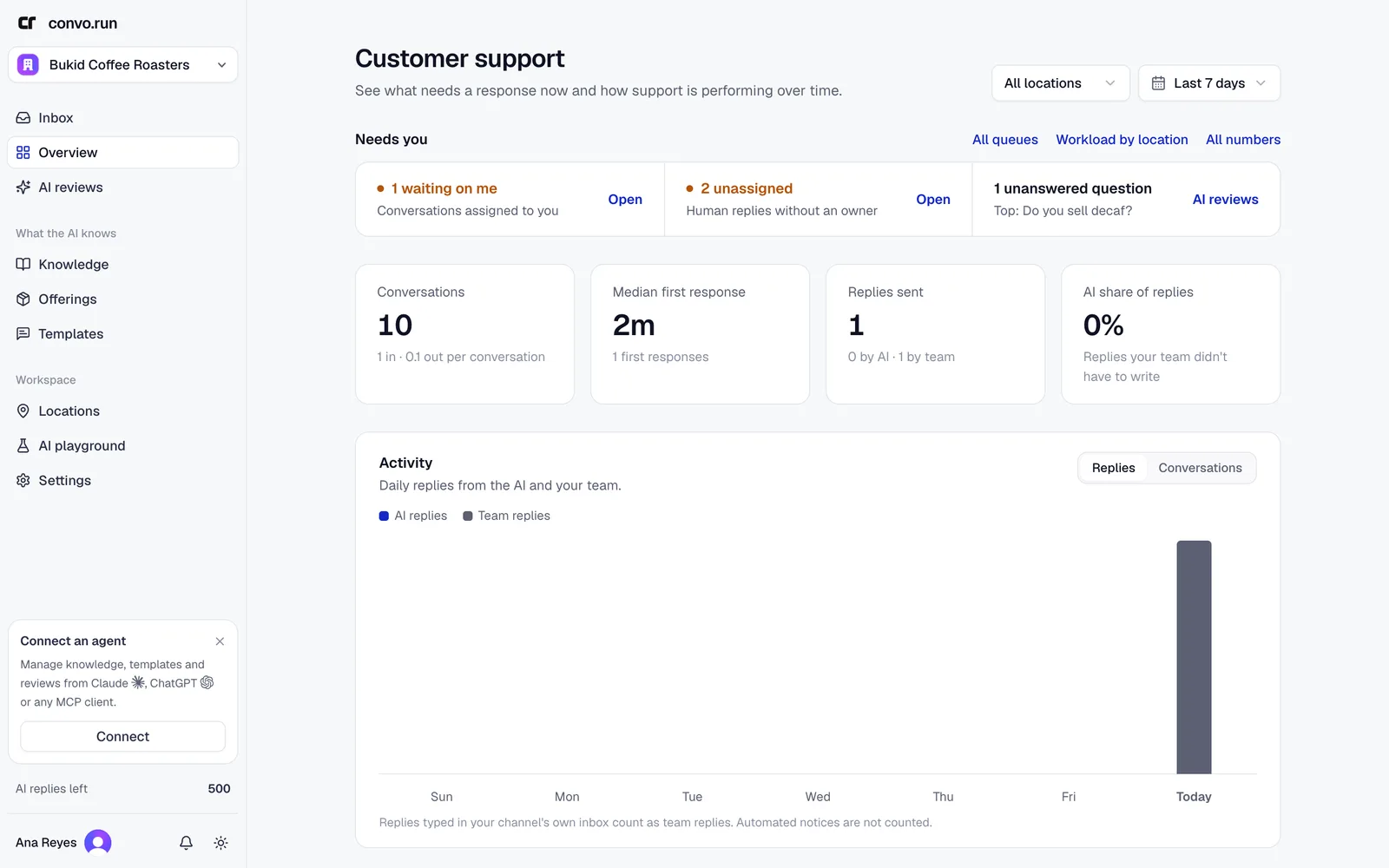
Needs you
The top row shows work waiting on people:
- payments to confirm, with how long the oldest has waited, in workspaces that use checkout. These link to Orders → To confirm,
- conversations assigned to you that are waiting on you,
- handed-off conversations nobody owns yet,
- questions the AI couldn't answer, with the most-asked one. These link to AI reviews.
Numbers
- Conversations. New and reopened conversations in the period.
- Median first response. How long customers waited for the first reply, from the AI or your team.
- Replies sent. Split into replies by the AI and replies by your team.
- AI share of replies. The share of replies your team didn't have to write.
Activity charts daily replies from the AI and your team. Switch to Conversations to see how each conversation ended: answered by the AI alone, by the AI and your team, by your team alone, or not answered. Replies typed in a channel's own app, such as the Messenger inbox, count as team replies.
Workspaces that use sales funnels also see a funnel card: conversations, engaged, qualified, goal reached and won, with results per ad. Point at an ad's name to see its image and title, with a link to the post.
Choose All numbers for more detail: live queues, human workload by location and team reply coverage, the share of conversations that got a reply from your team.