Knowledge
The facts, documents, answers and rules the AI answers from, and how to keep them free of conflicts.
Knowledge holds every customer fact that isn't a product or a price: opening hours, delivery areas, payment options, house rules, refund terms. The AI answers only from published content and cites the source it used.
Only owners and admins can add or publish knowledge. Members see sources cited on AI drafts.
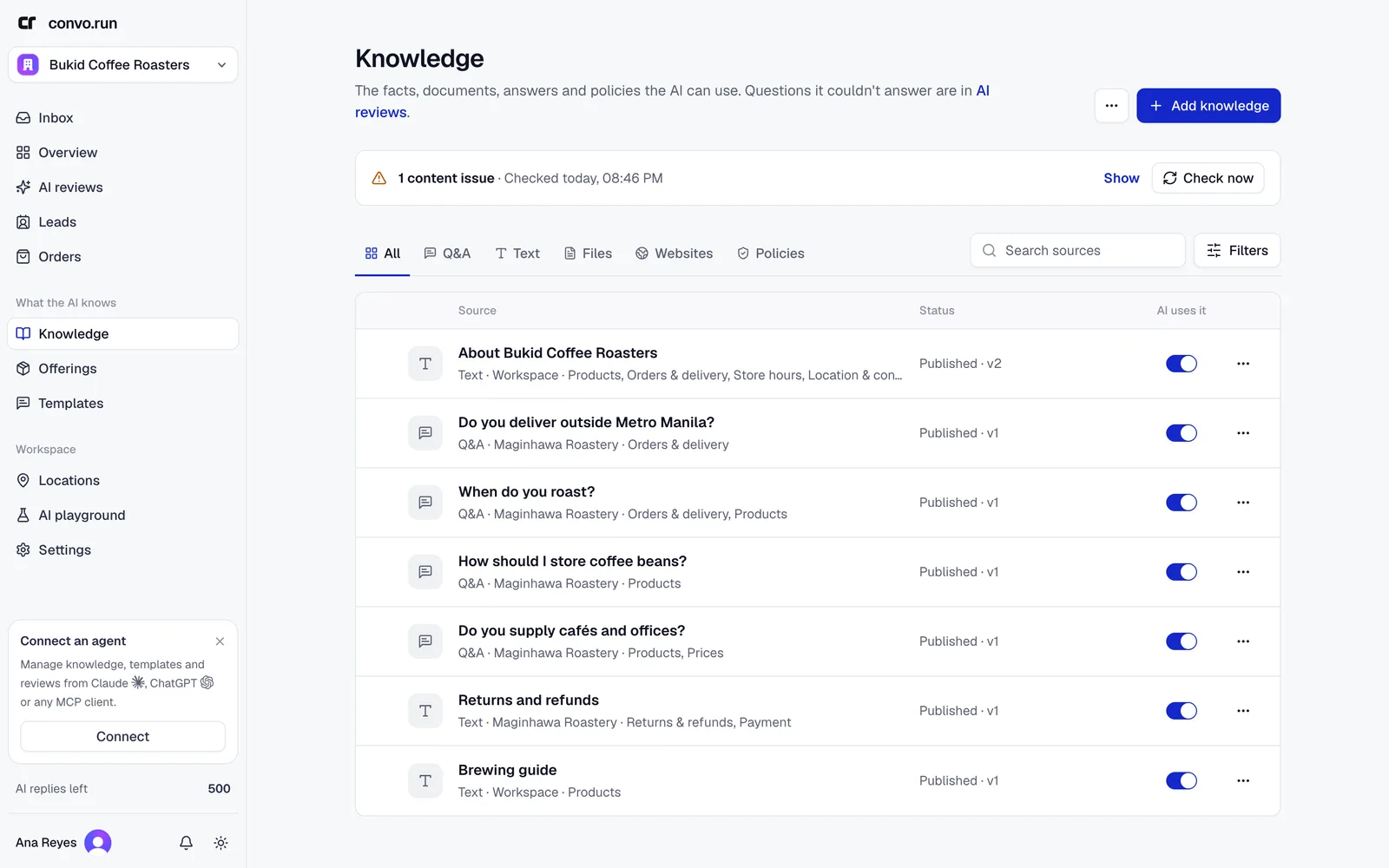
Where each fact belongs
Keep every fact in exactly one place. When two places disagree, the AI hands the conversation to your team instead of guessing.
| Put it in | When it is |
|---|---|
| Offerings | Anything with a price, add-on, variant, capacity or stock |
| Knowledge | Every other customer fact, including your own rules customers are told about |
| Templates | Wording your team sends often, or wording you want sent exactly |
| AI agent | Tone, persona and how conversations should go |
Don't write instructions for the AI into knowledge, such as "always ask for their phone number" or "hand off refund requests". Set behavior in the AI agent, the AI policy or a sales funnel. The content check flags instructions it finds in knowledge.
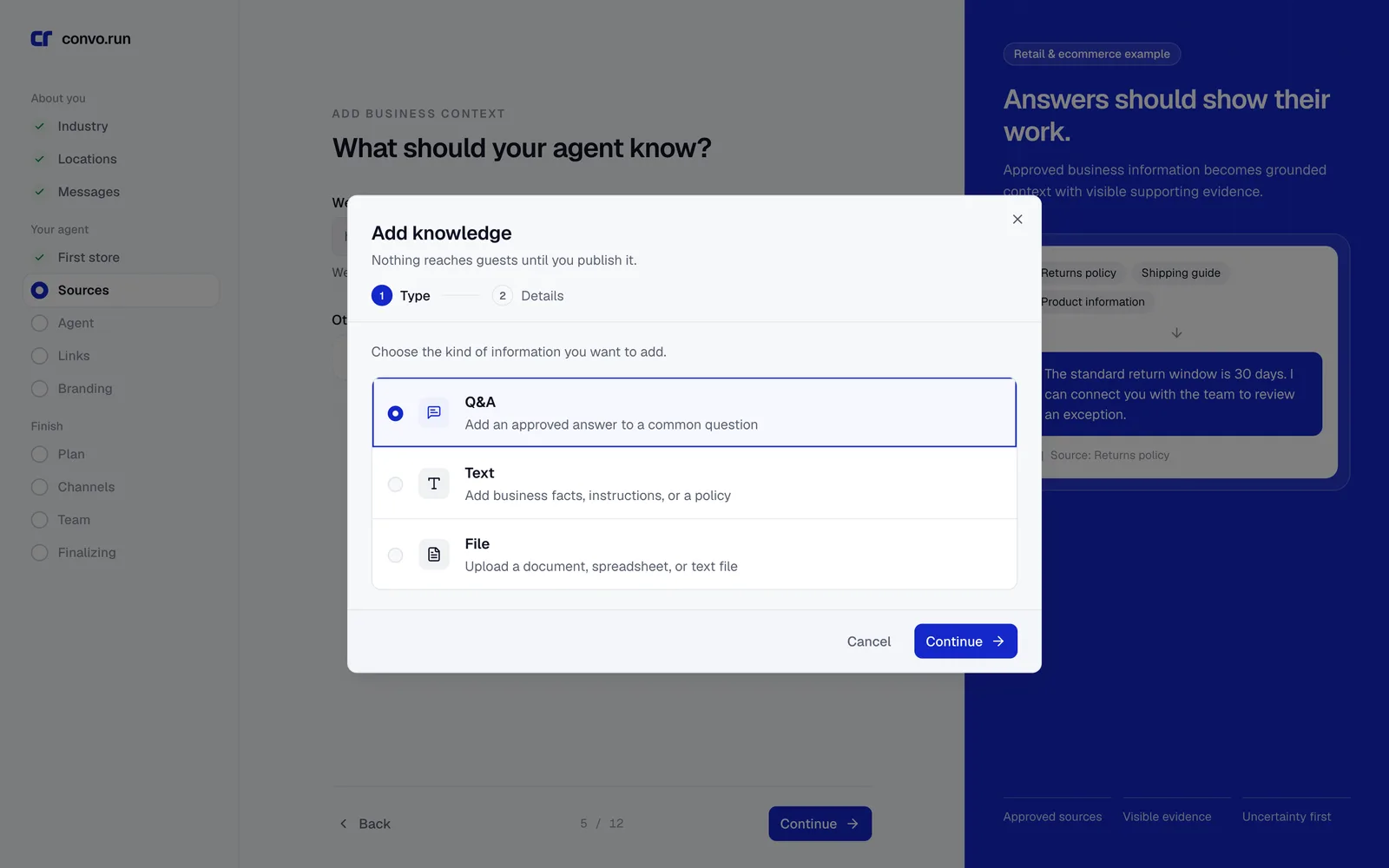
Source types
| Type | Best for | Limits |
|---|---|---|
| Q&A | One approved answer to a common question | Up to 20 other ways customers ask it |
| Text | Curated facts, written in Markdown | 50,000 characters |
| File | Handbooks, FAQs, policies and guides | PDF, DOCX, XLSX, CSV, TXT, HTML, PNG or JPEG, up to 25 MB |
| Website | Public pages from your site | Up to 100 selected pages per site |
Files count toward 1 GB of storage per workspace.
Policies
A policy is a rule the AI must follow in every reply, not a fact. Most workspaces need none. Add one only for a limit no fact can express, such as "never promise a delivery date". Choose Add an enforced policy from the menu next to Add knowledge. A workspace-wide policy can be enforced at every location, or a policy can apply only to selected locations.
A business's "refund policy" or "guest policy" that customers read is knowledge, not a Convo.run policy.
Choose where it applies
- Workspace-wide applies to every location, including ones you add later.
- Selected locations applies only to the locations you pick.
Scope branch-specific facts, such as hours or parking, to their location. A workspace-wide fact and a location fact that say different things count as a conflict.
Add and publish
- Choose Add knowledge, pick the type and fill it in.
- Choose where it applies.
- Wait while Convo.run scans and processes it. Files and websites take longer.
- Choose Publish. Nothing reaches customers until you publish.
To publish several drafts at once, choose Select up to 50 unpublished from the menu, then Review and publish.
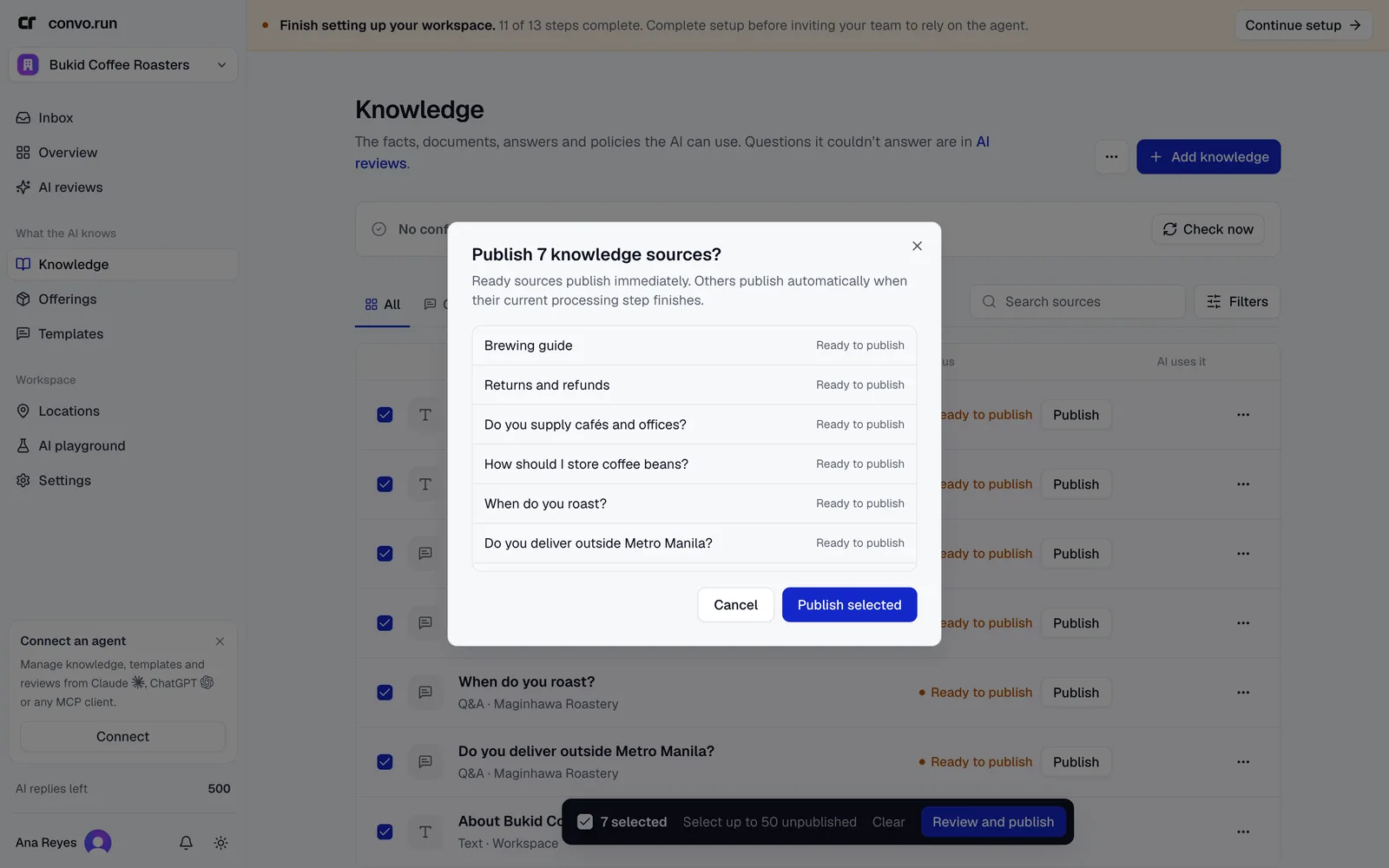
Turn off AI uses it to stop the AI from using a source without deleting it. Each source keeps its revision history. While a new revision processes, the published one stays live.
Websites
Choose how to find pages:
- Crawl website follows links from a starting page.
- Sitemap reads the site's sitemap.
- Individual links uses only the URLs you paste.
You can exclude paths and include subdomains or query parameters. After discovery, untick the pages customers shouldn't be quoted from, then choose Scrape selected pages. Publish the result when processing finishes.
Topics
After every publish, the AI sorts knowledge, offerings and templates into topics, such as Orders & delivery or Returns & refunds. The defaults come from the industry you chose in setup. Use topics to filter content. Choose Manage topics to add or rename them.
Content issues
The panel at the top of Knowledge checks your published content after each change, including sales funnels. It reports three kinds of issue:
- Conflict. Two sources state the same fact differently.
- Duplicate. The same fact appears in more than one place.
- Misplaced. A fact is in the wrong place, such as a price in knowledge instead of an offering, or an instruction for the AI in knowledge.
Choose Show to see each issue and Open to jump to the source. Choose Check now to run the check again. Fix conflicts first, because the AI hands off rather than answer from conflicting sources.
Test retrieval
Choose Test retrieval from the menu to see which passages the AI finds for a sample question. Nothing is generated or changed. A weak result usually means the source isn't published, is turned off, is scoped to another location, or is worded very differently from how customers ask. To see the full answer, use the AI playground.
Questions the content couldn't answer
AI reviews lists the questions customers asked that your content couldn't answer, most-asked first. Fix the rule behind a group of questions once, rather than answering each conversation.