AI policy
Workspace safeguards for automatic replies, sensitive topics, handoffs and conversation rules.
Settings → AI policy holds the safeguards and defaults for every location. The reply mode and the AI agent are set per location. See Locations and AI playground. Only owners and admins can change the AI policy.
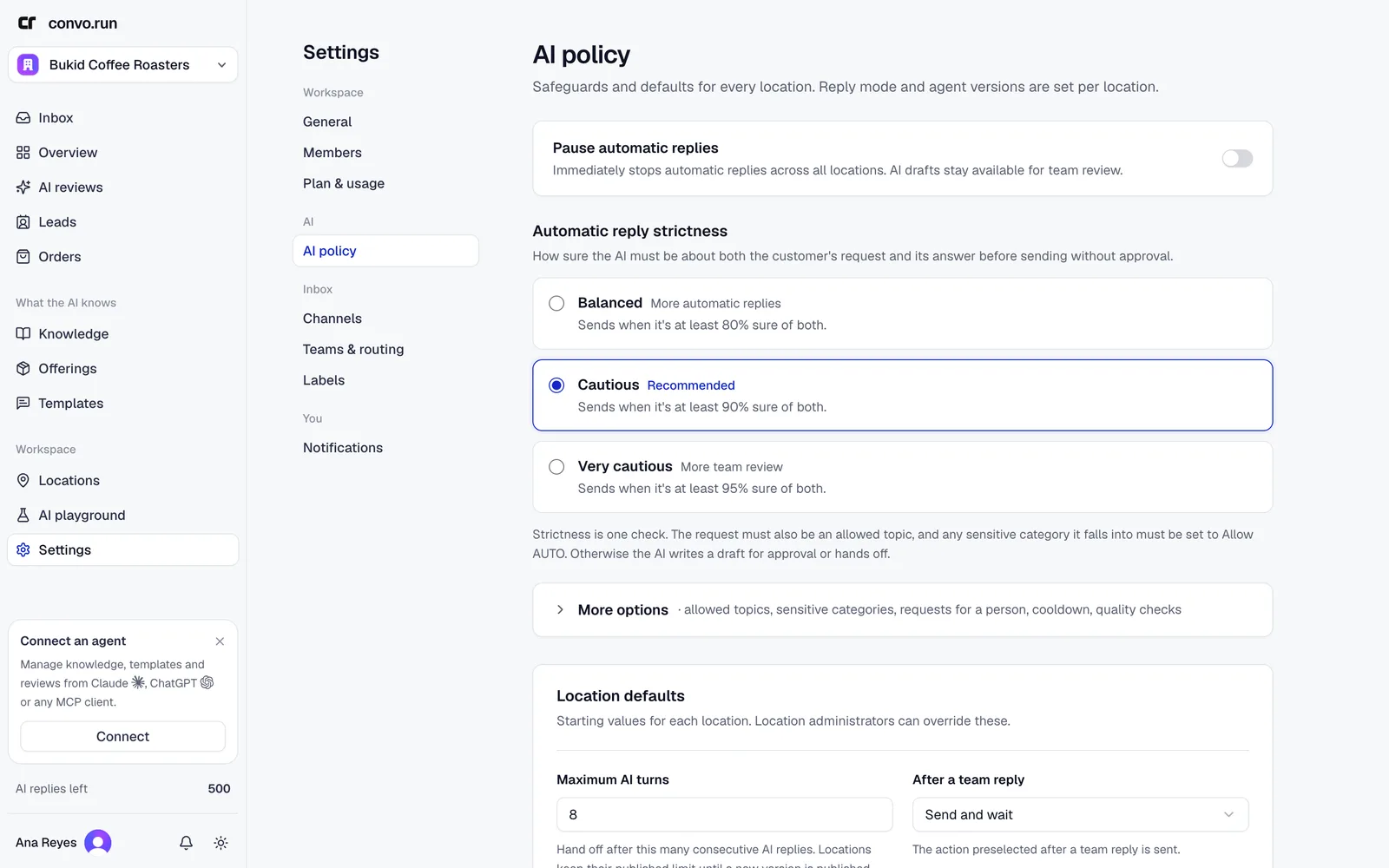
Pause automatic replies
Pause automatic replies stops automatic replies at every location right away. The AI keeps writing drafts for your team to approve. Use it when content is out of date or during an unusual event, and record why.
Automatic reply strictness
How sure the AI must be about both the customer's request and its answer before it sends without approval:
- Balanced. At least 80% sure. More automatic replies.
- Cautious. At least 90% sure. Recommended.
- Very cautious. At least 95% sure. More team review.
Below the threshold the AI writes a draft for approval, or hands off.
Under More options:
- Topics allowed to send automatically. Topics outside this list always get a draft.
- Category handling. For each sensitive category choose Hand off, Require approval or Allow AUTO. Categories include legal advice or disputes, medical or health questions, payment or billing disputes, refunds or compensation, account or booking changes, sensitive identity data, threats or harassment, and commitments or guarantees.
- When a customer explicitly asks for a person. Hand off, or draft a reply for approval.
- Human reply cooldown. How many minutes the AI waits after a teammate replies.
- Review first replies and Ongoing review sample (%). How many automatic replies go to quality checks.
Location defaults
Starting values for every location. Owners and admins can override them per location under Reply and handoff defaults: Maximum AI turns (default 8), After a team reply, and Response language (default Auto-detect).
Handoffs and after-hours
When the AI hands off, the customer gets a short message saying your team will continue in the same chat.
- When the customer asked for a person, or the AI can't answer safely, the AI writes the message and sums up what the customer needs. This counts as one automatic reply.
- In every other case, for example crisis or distress, when automatic replies are off or paused, or when no AI replies are left, Convo.run sends a fixed message instead. It's free.
- If a reply the AI sent promises that your team will follow up, the conversation goes to your team automatically.
Also in this section:
- Add a note to handoff messages. For example a phone number for urgent requests. Locations can override it.
- Enable after-hours messages. Sent outside a location's support hours.
- After a resolved handoff. Whether the AI answers again once your team resolves a handoff.
Inactivity
- Auto-follow up on inactive conversations. A follow-up after the number of minutes you set.
- Automatically resolve inactive conversations. Resolve after a set time, with an optional closing message. The closing message isn't sent if the channel's reply window has closed.
Conversation rules
Enforced conversation rules run on every customer message before the AI replies. Each rule has:
- When this happens. Specific words, a sensitive topic, an emotion, serious distress, a channel, or a label on the conversation.
- Then. Continue (let the AI reply), No response, or Hand off with a reason for the team.
- Options to pause automatic follow-up and closing messages while the rule matches.
- How certain should the AI be? Broader matches, Balanced or Very certain.
Rules that require a handoff always go to your team, even if knowledge could answer.
Built-in safeguards
Some protections can't be turned off: crisis handling, checks that every answer is backed by your content, coordination so the AI and a teammate don't reply at once, and delivery safeguards that prevent duplicate messages.