AI playground and agent
Test what the AI would reply, change its role and tone, and publish versions safely.
The AI playground shows exactly how the AI would reply at a location. Nothing you type here reaches customers. It's also where you change the AI agent and publish it.
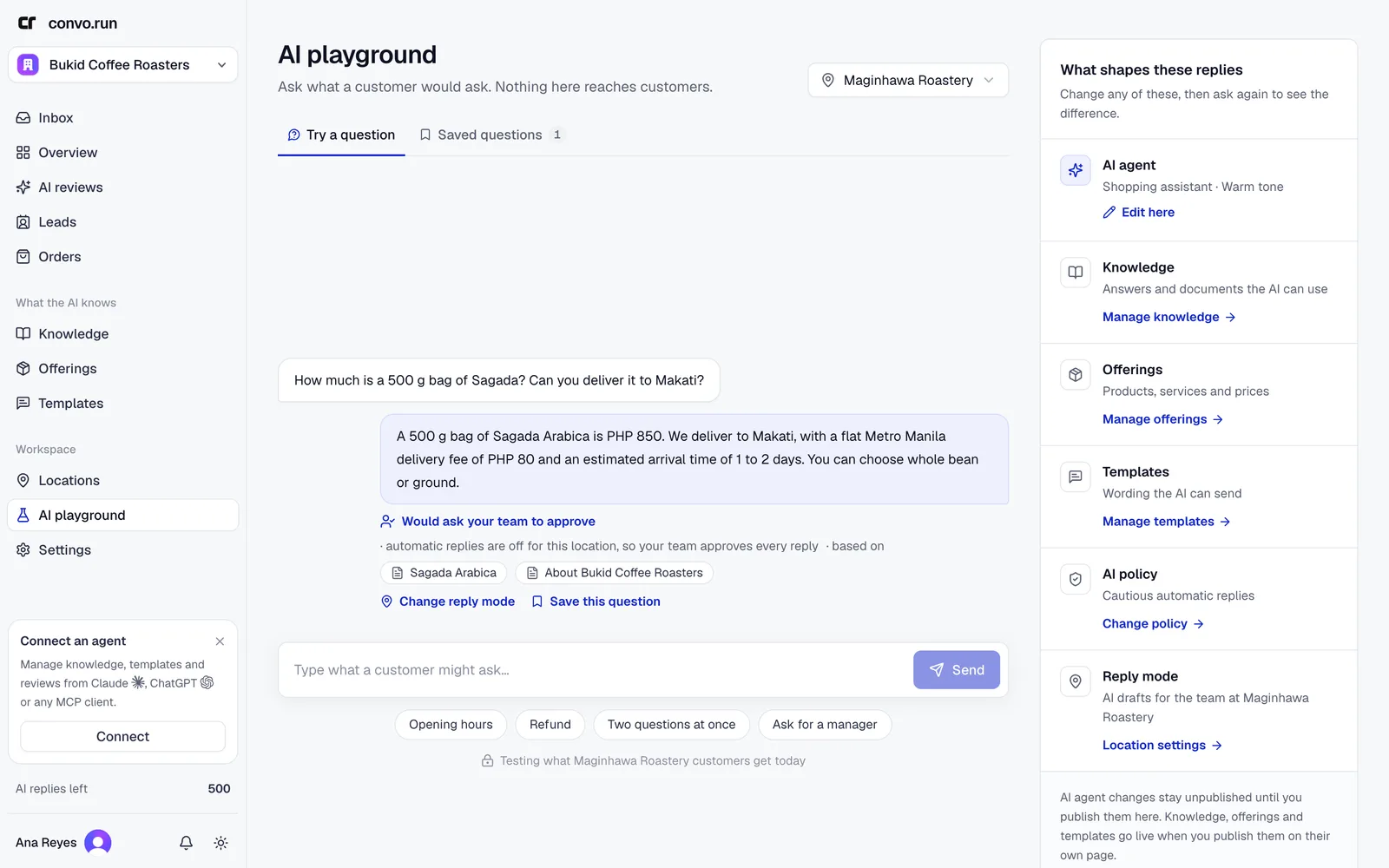
Try a question
Pick the location, type what a customer might ask and choose Send. Or start from a quick prompt such as Opening hours or Ask for a manager. Under each reply you see:
- what the AI would do: answer, ask a question back, hand to your team, or not reply,
- why, for example "automatic replies are off for this location",
- the sources it used.
Choose Edit this answer to fix the content behind a wrong answer, or Save this question to keep checking it.
The panel on the right lists what shapes the replies: the AI agent, knowledge, offerings, templates, AI policy and reply mode. Change one, then ask again.
Change the AI agent
Choose Edit here next to AI agent:
- Role. A starting point: Customer support assistant, Front desk assistant, Sales assistant, Shopping assistant, General business assistant, or your own.
- What does your agent do? One or two sentences in your words.
- Instructions. Anything the AI should always keep in mind, such as "keep replies under 80 words" or "sign off as the Bukid team".
- Tone. Warm, Professional, Concise or Casual.
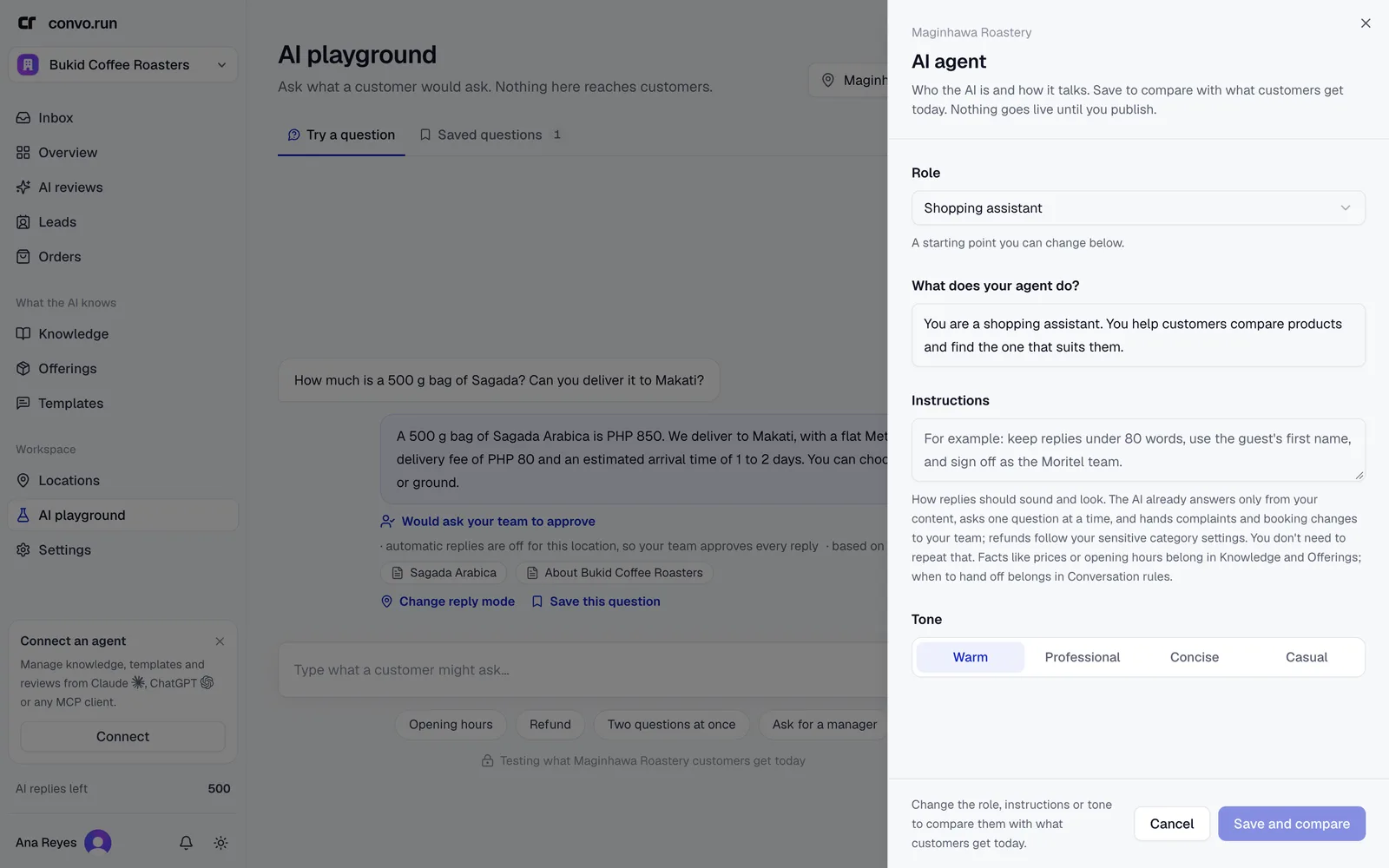
Choose Save and compare. The playground then shows each answer Live today next to With your changes.
Keep facts out of instructions. Prices belong in offerings, and opening hours and rules in knowledge. Instructions cover how replies sound and how conversations go.
Publish
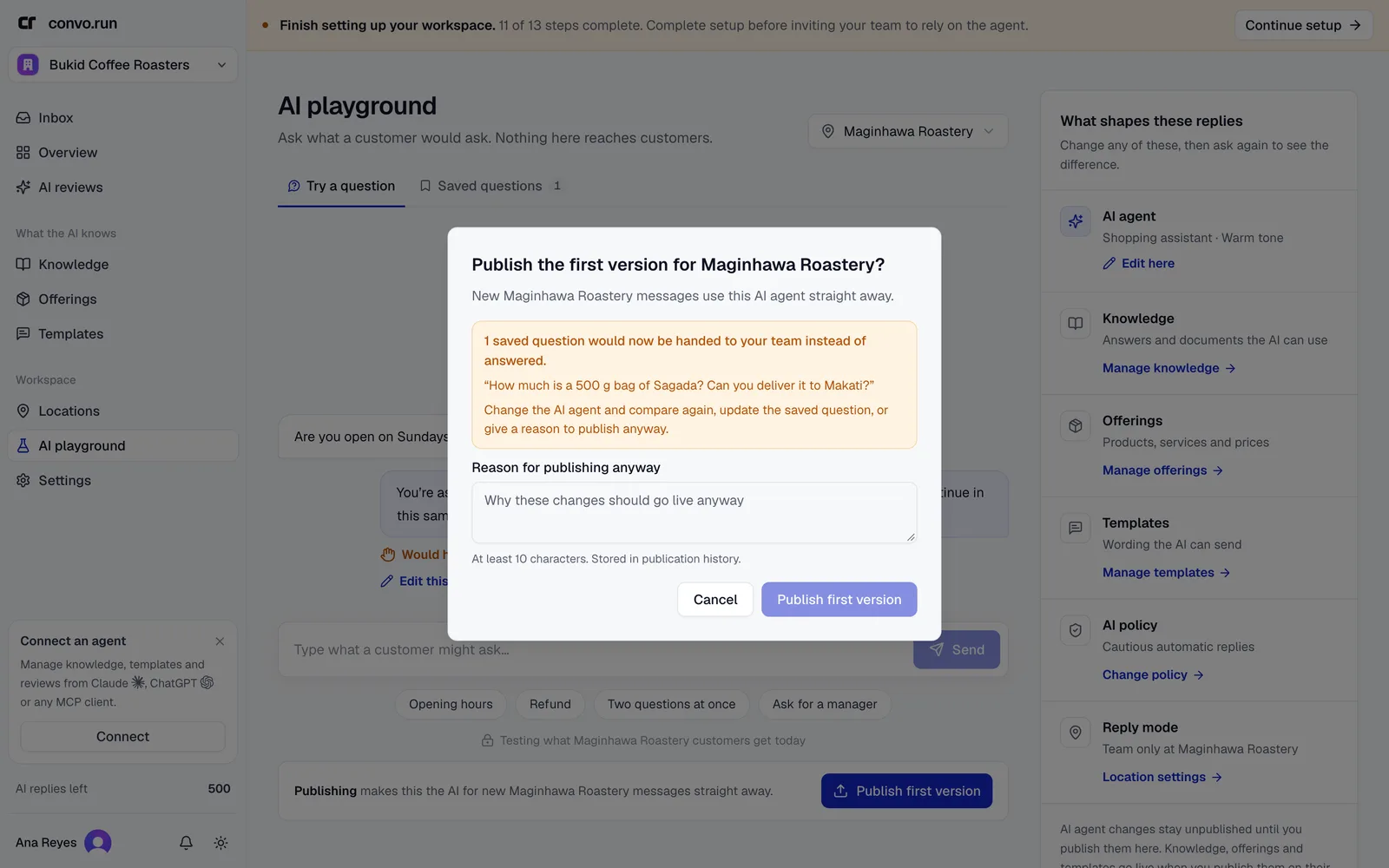
Agent changes stay unpublished until you choose Publish changes, or Publish first version at a new location. Publishing applies to the next customer message at that location. Knowledge, offerings and templates are published from their own pages.
Before publishing, Convo.run asks every saved question again. If an answer would change, for example from answered to handed off, you see which questions changed. Adjust the agent and compare again, or give a reason to publish anyway. The reason is kept in the publication history.
Undo last publish goes back to the previous version. The history is kept.
Saved questions
The Saved questions tab lists questions the AI should keep handling the same way. For each, choose whether the AI should Answer it or Hand to your team. Every publish checks them again, so a change doesn't quietly make answers worse.
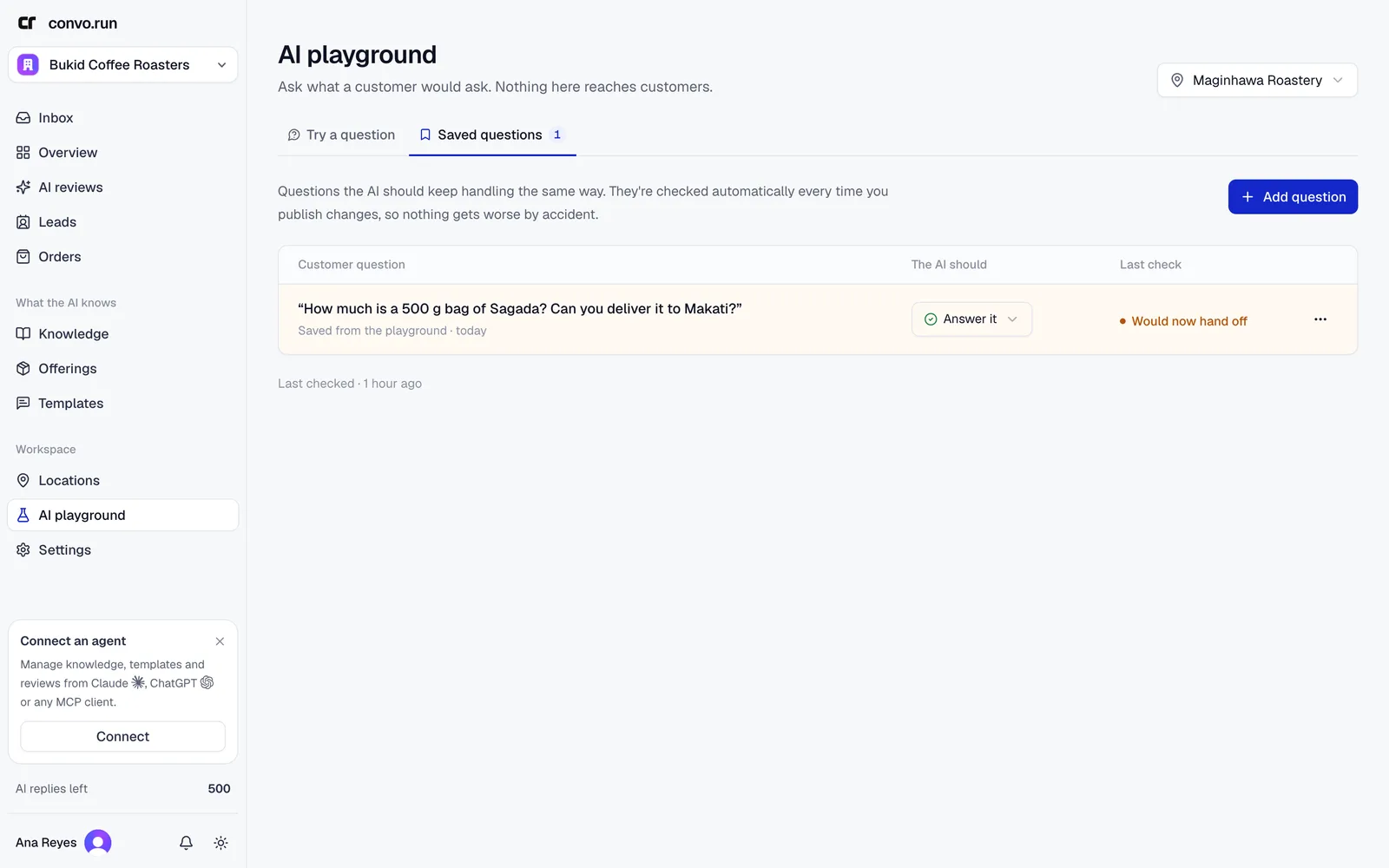
Add questions with Add question, from Save this question in the playground, or with Keep checking this question in quality checks.